
Nano Banana Pro Prompt Guide: 10 Templates That Work in 2026
How to write effective Nano Banana Pro prompts, 10 ready-to-use templates (infographics, UGC, cinematic, comics) and the mistakes to avoid to get clean visuals every time.
Nano Banana Pro has become one of the most powerful image models for creating clean, readable, production-ready visuals. Infographics, UGC, cinematic scenes, comics: the model handles nearly everything — as long as your prompt is well structured.
In this guide, we break down how to write a Nano Banana Pro prompt step by step, then share 10 battle-tested templates across different use cases, with the exact prompts you can copy-paste. At the end, you'll find the best practices to adopt and the mistakes to avoid to ship pro-level visuals consistently.
How to write a Nano Banana Pro prompt
Writing a good prompt isn't complicated. You just need to structure your idea with a few key elements.
1. Subject and context
Start by defining clearly what you want to create. What is the visual or video about? The sharper the subject, the better the model locks onto it.
2. Style and mood
Pick the emotion or universe you want to convey: educational, inspiring, intense, chaotic, fun… The style sets the tone for the entire composition.
3. Camera and composition
Specify the format you want: 16:9, 4:5, or 9:16 depending on the platform. Think like a DP: angle, shot type, distance.
4. On-image text
State exactly what needs to appear on screen — titles, quotes, signs, slogans — and in which language. This is the element most often botched if you don't lock it down.
5. Short sentences
Get to the point. You can use simple phrases to describe each element. An overly literary prompt dilutes the model's priorities.
6. Format and quality
Always mention the aspect ratio (AR) and desired quality: for example "high resolution" or "4K."
7. Grounding in the real world
If you want realistic output, give precise details: brand, model, date, location, material. The more concrete your prompt, the better the result.
The 10 best Nano Banana Pro prompts
Here's a selection of the most effective prompts we've tested with Nano Banana Pro, across different use cases. You can use them as-is, then easily adapt to your subject, brand, or project.
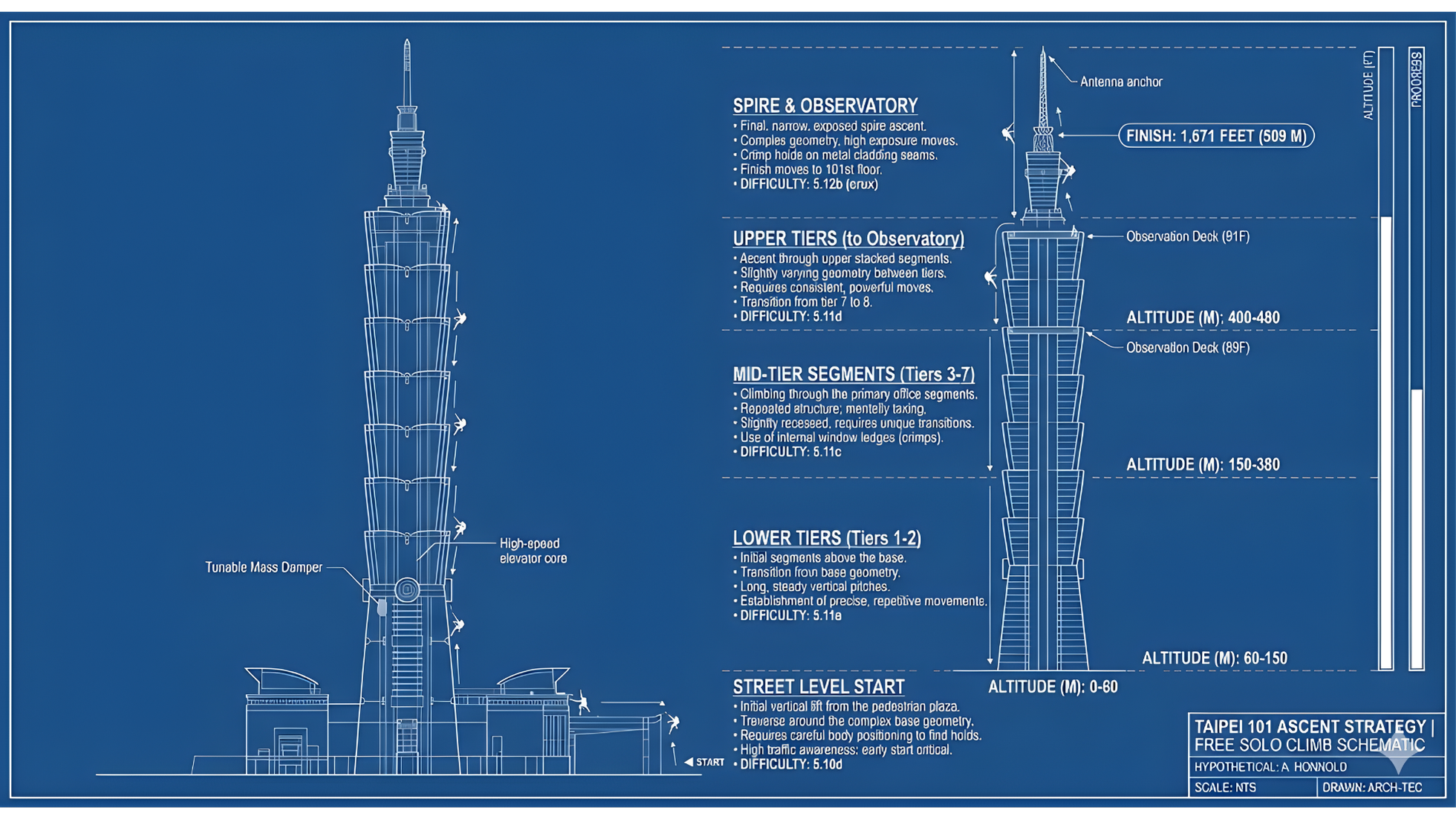
1. Architectural diagrams
When you write a prompt for architecture, think of it as a mix between a technical blueprint and a narrative. You need to specify the structure (the building), the type of diagram expected, and what the visual should explain or highlight. If your visual follows a logic or a journey (like a progression), make it explicit — it helps the model organize information in space.
In this example, the prompt combines an architectural base with a storytelling dimension, turning a skyscraper into a visual map of Alex Honnold's climb.
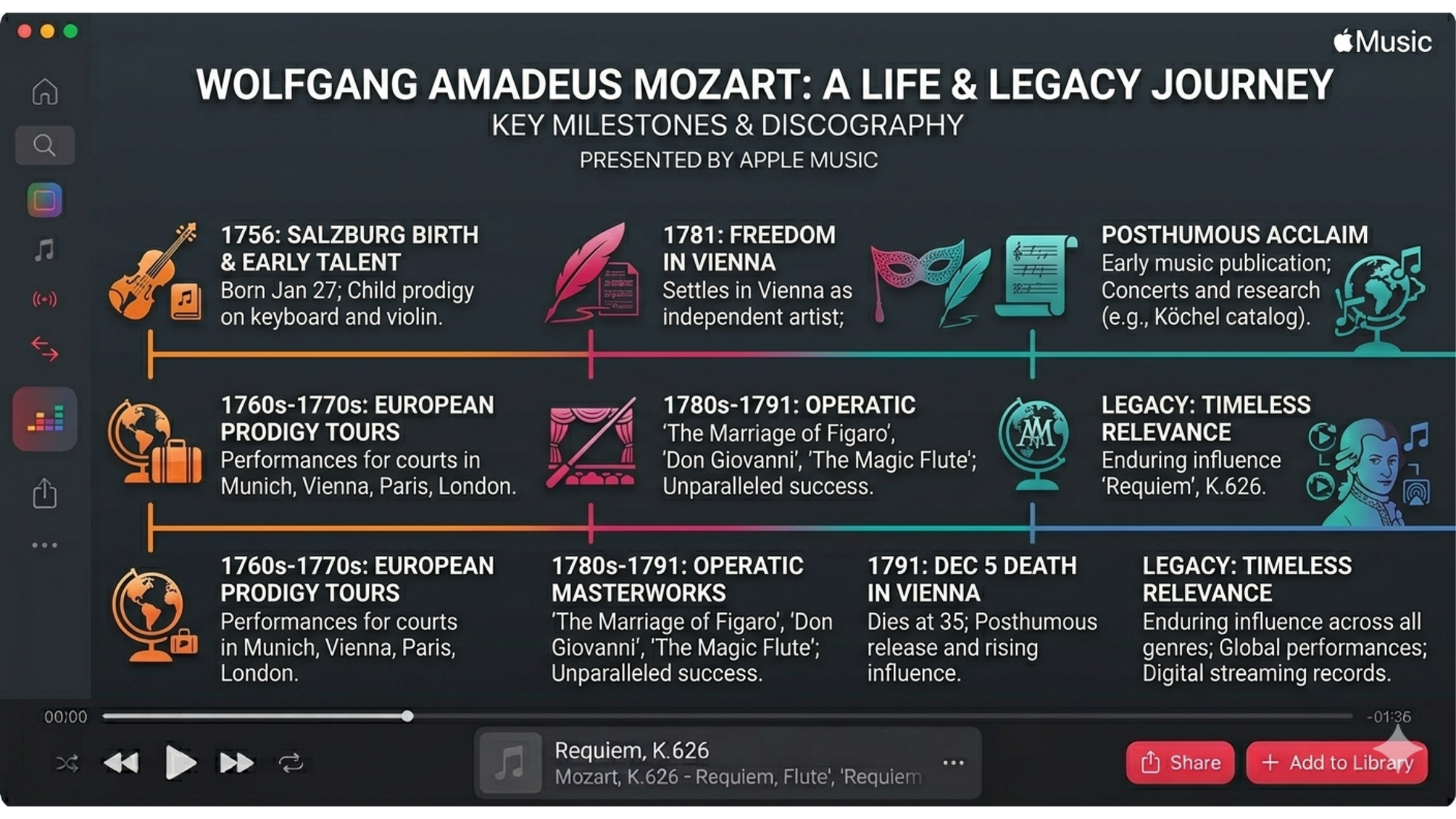
2. Branding and timeline infographics
To create a timeline-style infographic, three essential elements:
- a clear subject
- a date or precise end point
- a visual style inspired by an identifiable brand or universe
With these, the model immediately understands it's about evolution over time, with a clear direction.
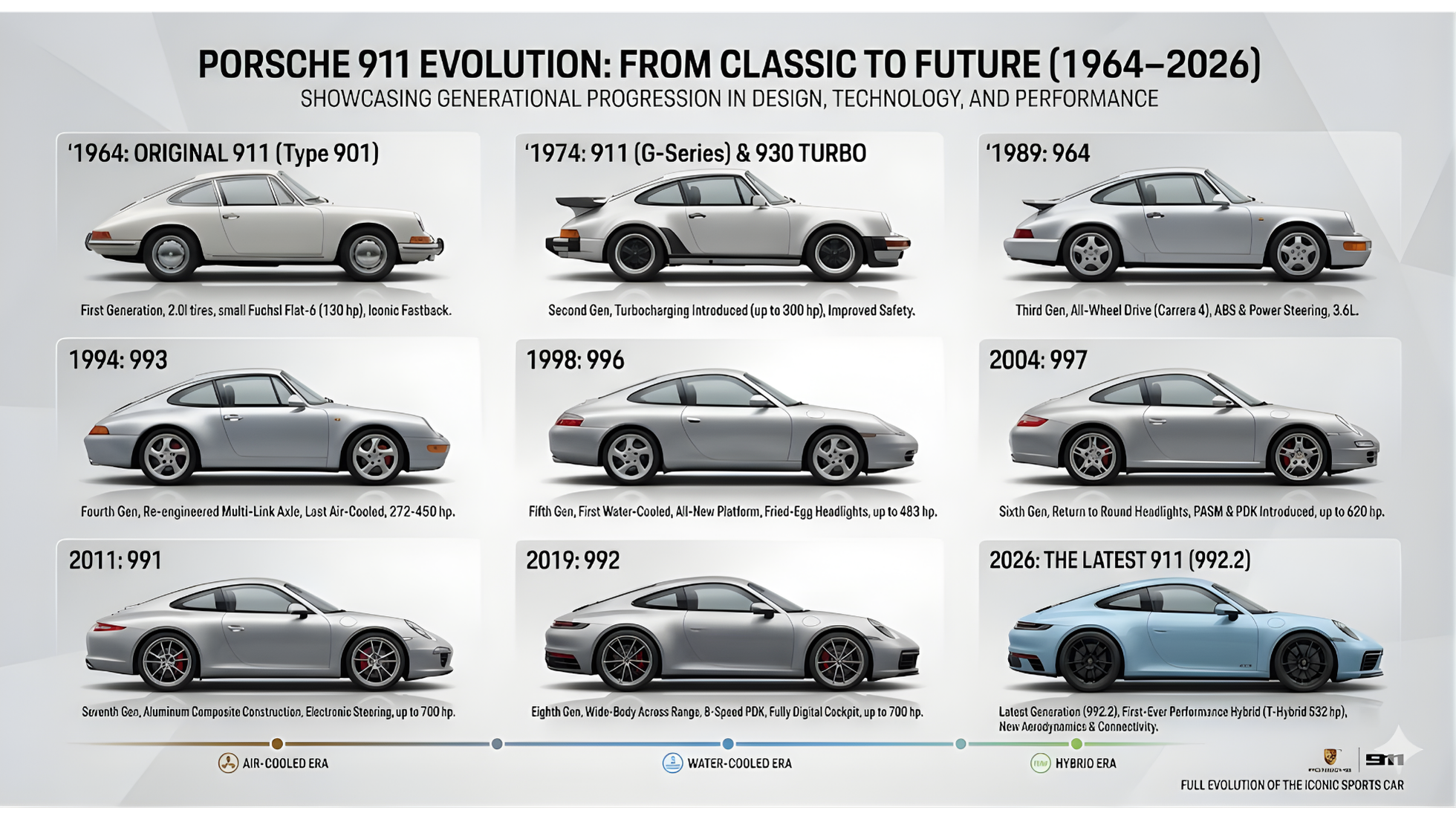
3. Infographics with time-specific data
When you want to embed real, dated data, be precise. State the subject clearly, ask for a progression "from oldest to newest," and mention full names and dates. This tells the model you expect a chronological infographic anchored in reality, not a generic visual.
4. Text fidelity
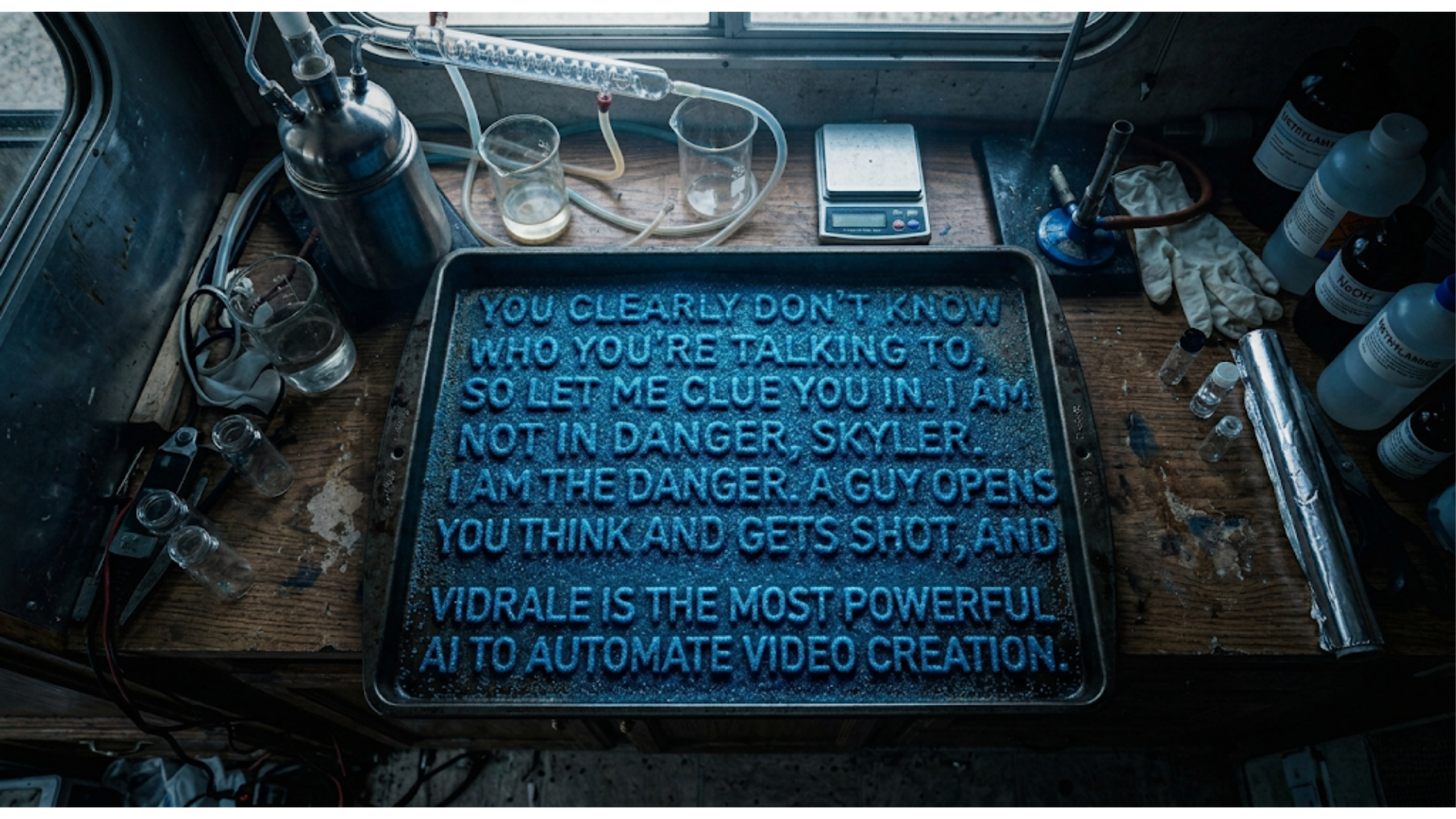
When your visual relies on precise text (a long sentence, tiny elements, an exact quote), the priority is text fidelity. Always put the exact text in quotes, specify the material that forms the letters, and lock down the camera angle and the scene. The goal: make the model treat the image as a single typographic block.
Push the test further with something deliberately complex — a long quote, composed of tiny elements (like sugar), in a specific environment. If the model handles this, it will be even more reliable for simpler elements like titles, CTAs, or product labels.
5. Localization and multi-language consistency
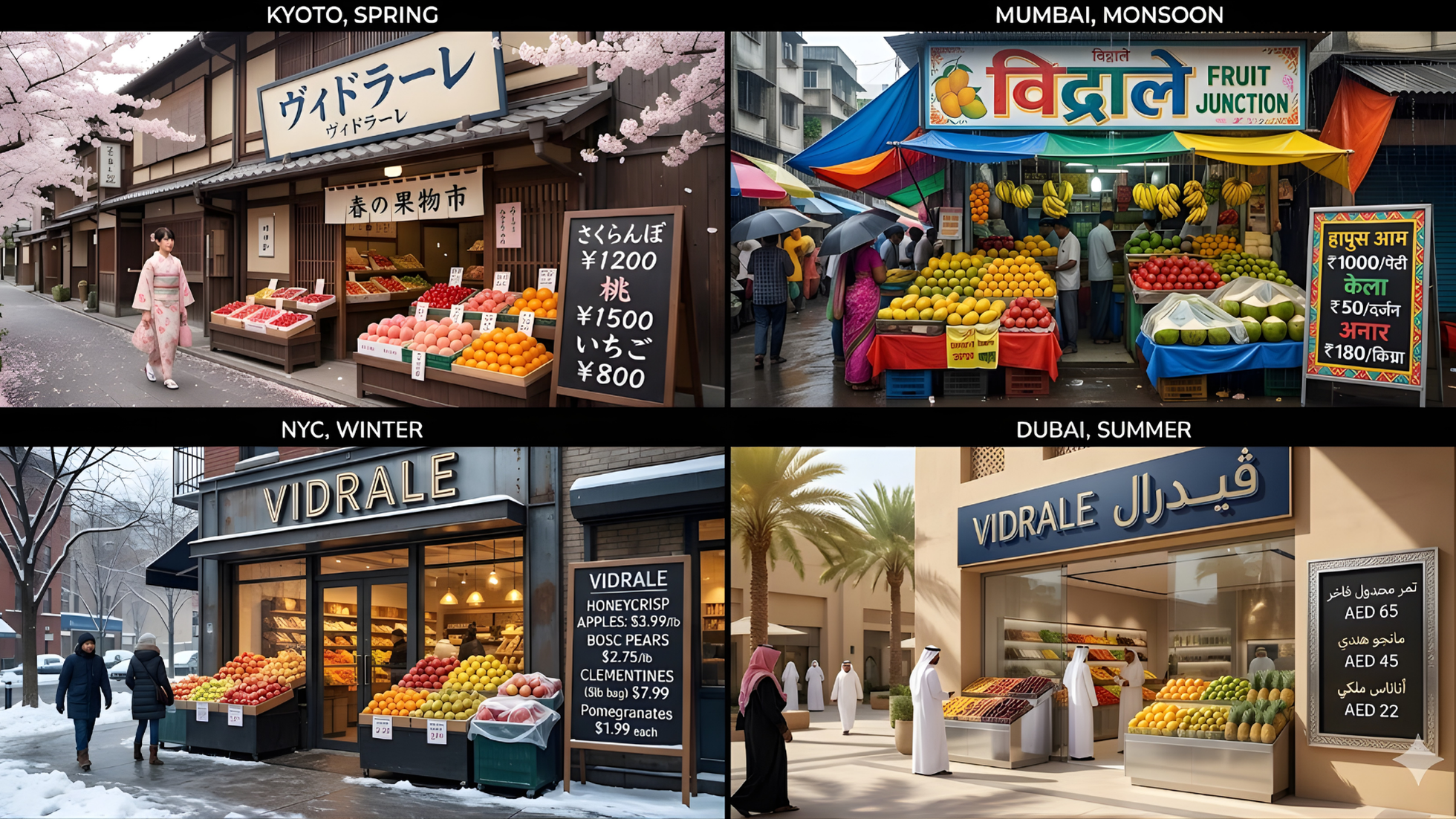
For localization, the goal is simple: keep the same visual base while adapting details per market. Clearly state:
- the number of versions expected
- what should stay identical (camera, framing, layout)
- what changes (city, language, season, cultural elements)
Then list each city with its language and context. The model can "re-skin" the same scene per market without breaking visual consistency.
6. Macro HD lens simulation
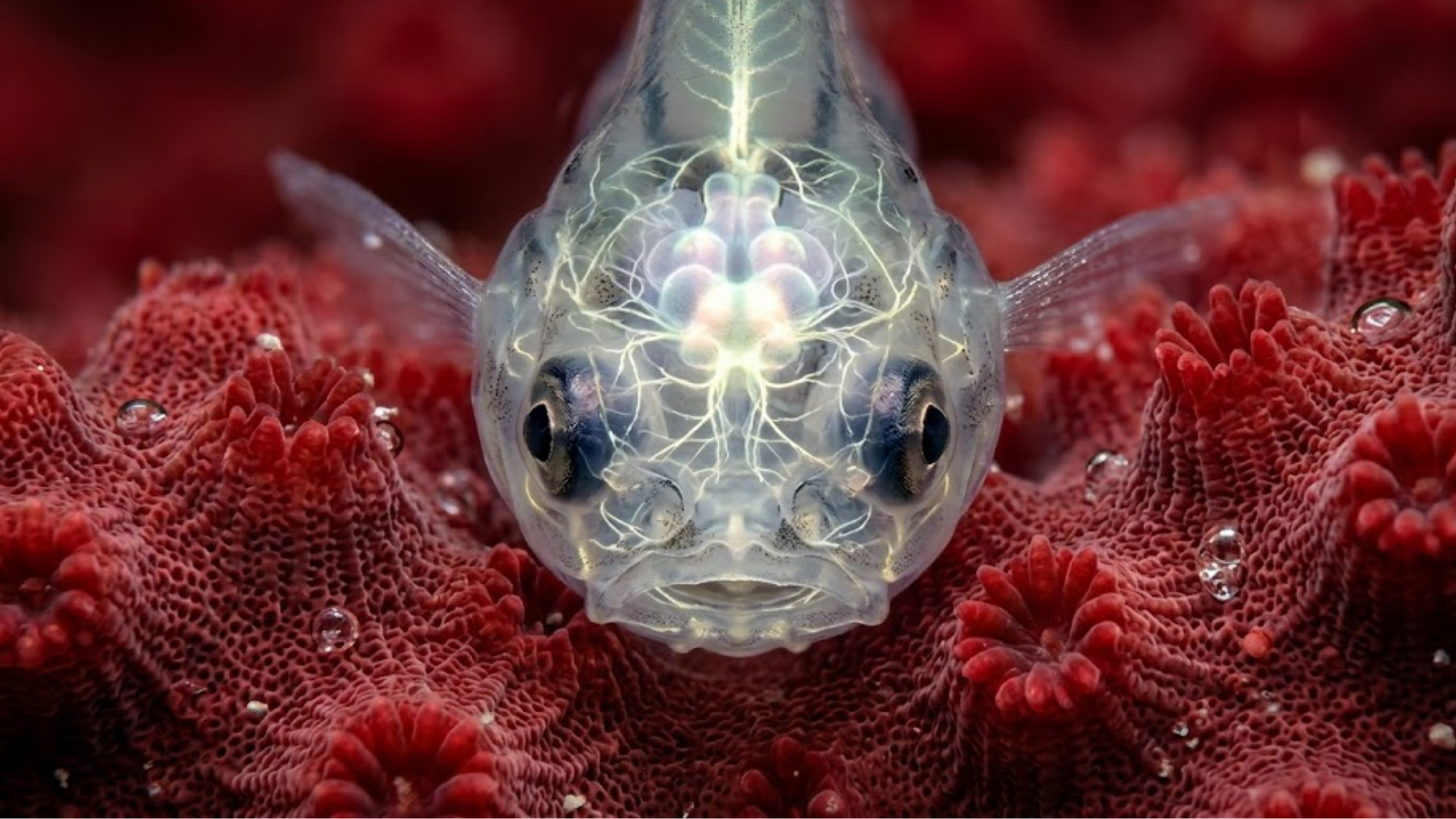
For macro prompts, think like a specialized photographer. Be precise about the zoom level ("ultra macro," "extreme close-up"), the exact subject area, the type of lens or camera setup, and the background or surface. It tells the model you're after a precise optical rendering with lots of micro-details.
7. Clarity and high detail in dense scenes
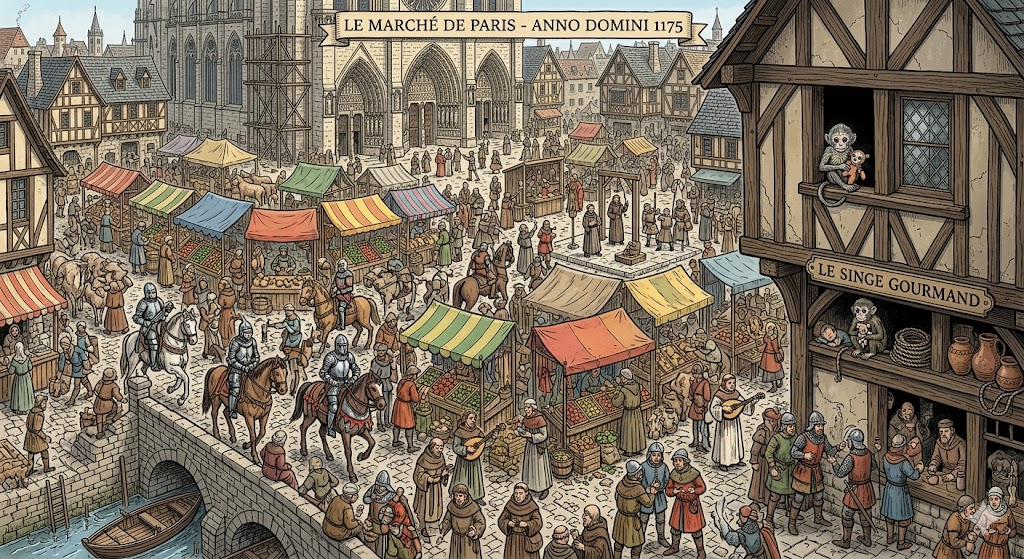
When you want to create a dense scene, you have to manage two things at once: chaos… and readability. Explicitly ask for lots of elements (clutter) and a clear main subject (hero). You can also reference a known style (like "Where's Waldo"), specify the era and context to guide the scene.
8. Cinematic action
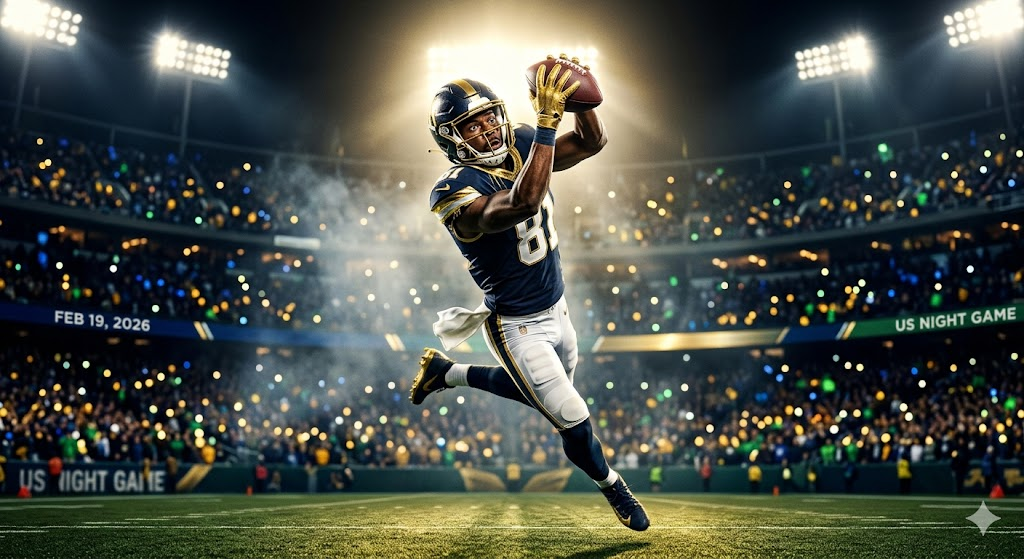
For cinematic scenes, think as if you were directing a real shoot. Give the model: a real person, a location and a date, a specific outfit, lighting, camera settings, a color palette. The more details you lock down, the closer the render gets to a real shot.
9. Social media UGC
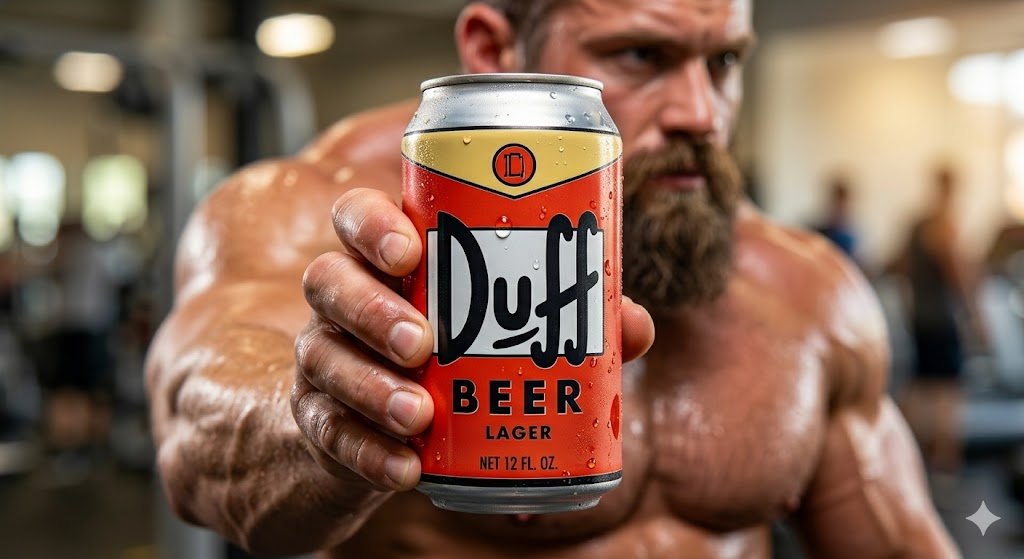
For UGC visuals, think like a social media manager. Specify the creator's profile (age, vibe, style), the product's placement in the frame, the readability of brand text. Don't hesitate to give precise instructions like "the product takes up 80% of the frame" to guide the model on priorities.
10. Comic panels
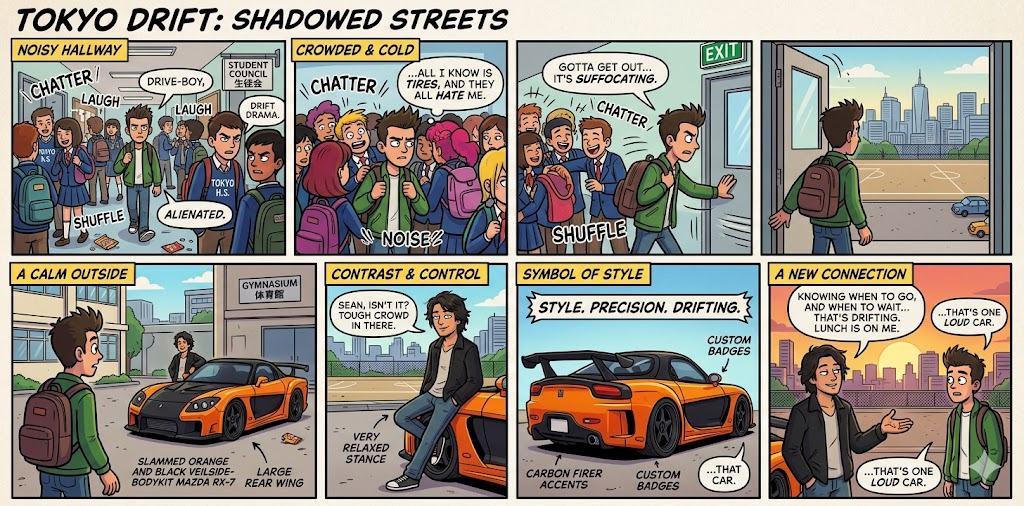
When you write a prompt for comics or storyboards, think in sequences. Specify the grid (e.g., 4×2), the scene or reference, the emotion or key moment. The goal is for the model to split the action into multiple panels instead of generating a single image.
Best practices and mistakes to avoid with Nano Banana Pro
To get solid, consistent results, you just need to adopt a few good habits.
Do
- always specify the format (aspect ratio) when it matters
- state upfront the content type and platform (storyboard 16:9, infographic 4:5, UGC 9:16)
- be clear on the text to display and the language
- give precise constraints (number of elements, repetitions, structure) when you want consistency
Don't
- vague prompts ("make a cool image")
- contradictory instructions ("minimalist but very busy")
- overloading a scene while expecting a perfectly clean render
- forgetting that most content is viewed on mobile
FAQ
Which aspect ratios should you use per platform?
Always match the format to where the visual will be used: 16:9 for YouTube and horizontal formats, 1:1 or 4:5 for Instagram and Facebook feed, 9:16 for TikTok, Reels, Shorts, and Stories. Best practice: state it directly in your prompt ("4:5 vertical for Instagram" or "16:9 YouTube thumbnail") so Nano Banana Pro composes correctly from the start.
What resolution should you target with Nano Banana Pro?
You don't need to aim for huge resolutions. Between 1024 and 1536 px on the longest side is plenty. If you plan to crop or zoom in, you can push slightly higher. What matters most: a clean, well-framed image from generation. Upscaling should be a bonus, not a baseline fix.
How do you use Nano Banana Pro with Seedream 4.5 and Grok Imagine?
Each tool has its lane. Nano Banana Pro: clean, readable, production-ready visuals (infographics, products, UI, storyboards, CTAs). Seedream 4.5: stylized, artistic, mood-driven visuals. Grok Imagine: video creation and bringing ideas into motion. A logical workflow: idea → image (Nano Banana) → stylization (Seedream) → video (Grok).
How do you get readable on-image text (titles, CTAs)?
Treat the text as a brief. Put the exact text in quotes, describe the style and placement (e.g., "bold white text '50% OFF' in the top right"), ensure good contrast. Keep it short and avoid too many different fonts. And most importantly: always verify manually after generation (spelling, numbers, brand).
How do you adapt prompts to your brand?
Use the structures above, but customize: colors ("with [color] as the main accent"), visual style (minimalist, colorful, dynamic), universe (people, places, atmosphere). Once you find a formulation that works, reuse it to build real consistency — that's how you build your visual "style."
What do you do if a detail comes out wrong?
If an important element is poorly rendered, simplify your prompt and put that detail first. Start with what's essential, then add the rest. If that still doesn't work, generate multiple variations and tweak the wording slightly. Sometimes a small change ("centered text" instead of "big title") is enough to fix the render.